
Scroll to the bottom of any well-built website and you’ll find a small but mighty section doing heavy lifting: the footer. While most business owners obsess over hero sections and homepages, smart designers know that website footer content is where usability, SEO, and conversions quietly come together.
At Zach’s Web Designs, we’ve redesigned hundreds of footers, and the same truth keeps showing up: a cluttered footer drives visitors away, while a thoughtful one keeps them engaged and helps Google understand your site better. In this guide, we break down the 15 footer elements every business website should include, why they matter, and how to organize them without making the bottom of your page look like a yard sale.
Why Website Footer Content Matters More Than You Think
The footer appears on every single page of your site. That’s prime real estate. When a visitor reaches the bottom of a page, they’re signaling one of two things: they didn’t find what they wanted, or they want to take the next step. A well-structured footer answers both situations.
Beyond user experience, footers also play a role in SEO. Internal links in the footer help search engines crawl your site, distribute link equity, and reinforce which pages matter most to your business.
What a Great Footer Does
- Guides lost visitors to the right page
- Builds trust through legal and contact transparency
- Improves crawlability and internal linking for SEO
- Reinforces your brand identity at the close of every page
- Captures leads through newsletter signups or CTAs

The 15 Website Footer Content Elements Every Business Should Include
Below is the framework we use when building footers for small businesses, e-commerce stores, and service providers. Not every site needs all 15, but most should include at least 10 of them.
1. Business Name and Logo
Place a small version of your logo or business name in the footer. It reinforces brand recognition and acts as an anchor point at the bottom of every page.
2. Short Brand Description or Tagline
A one or two sentence pitch about what you do. This helps first time visitors quickly understand your value, especially if they landed deep in your site from a Google search.
3. Contact Information
Include your phone number, email address, and physical address (if applicable). For local businesses, this is also a strong local SEO signal.
4. Navigation Links
Repeat your main menu or include secondary links that don’t fit in the top nav. Think of this as a mini sitemap that helps both users and search engines.
5. Legal Pages
Required in most jurisdictions and essential for trust:
- Privacy Policy
- Terms of Service
- Cookie Policy
- Accessibility Statement
- GDPR or CCPA notices when relevant
6. Copyright Notice
A simple line like “© 2026 Your Business Name. All rights reserved.” Use dynamic year code so it updates automatically.
7. Social Media Icons
Link to the platforms you actually maintain. Dead social links hurt credibility. Keep icons clean, consistent in style, and open links in a new tab.
8. Newsletter Signup
A simple email capture form with a clear benefit (“Get weekly web design tips”). The footer is the last chance to convert a visitor before they leave.
9. Call-to-Action Button
For service businesses, add a “Book a Consultation” or “Get a Quote” button. For e-commerce, try “Shop New Arrivals.”
10. Trust Badges and Certifications
Industry awards, SSL badges, payment security logos, BBB ratings, or association memberships. These reduce friction at the moment of decision.
11. Customer Support Links
FAQ, Help Center, Shipping Info, Returns Policy, and Contact form. Put these where users instinctively look for them: the footer.
12. Sitemap Link
An HTML sitemap link is great for both accessibility and SEO. It gives users an overview of your entire site at a glance.
13. Language or Region Switcher
If you serve multiple markets, a clear language or region selector belongs in the footer.
14. Recent Blog Posts or Featured Content
Show your three most recent articles or featured resources to keep visitors engaged and improve internal linking.
15. Credits and Web Designer Attribution
Optional, but a small “Designed by Zach’s Web Designs” line can serve as a subtle credibility marker and a smart link building strategy.
Footer Content by Business Type: Quick Reference
| Business Type | Priority Footer Elements |
|---|---|
| Local Service Business | Address, phone, hours, service areas, Google Maps link, CTA button |
| E-commerce Store | Shipping, returns, payment badges, newsletter, customer support, social |
| SaaS or Tech | Product links, pricing, docs, status page, security badges, careers |
| Blog or Media | Categories, recent posts, newsletter, about, social icons, RSS |
| Nonprofit | Donate button, mission statement, contact, volunteer link, transparency reports |

How to Structure Footer Content Without Looking Cluttered
The biggest mistake we see is stuffing every element into a single row. Use these layout principles instead:
- Use clear columns. Group related links into 3 to 5 vertical columns with clear headings.
- Create visual hierarchy. Bold headings, smaller link text, and consistent spacing make scanning easy.
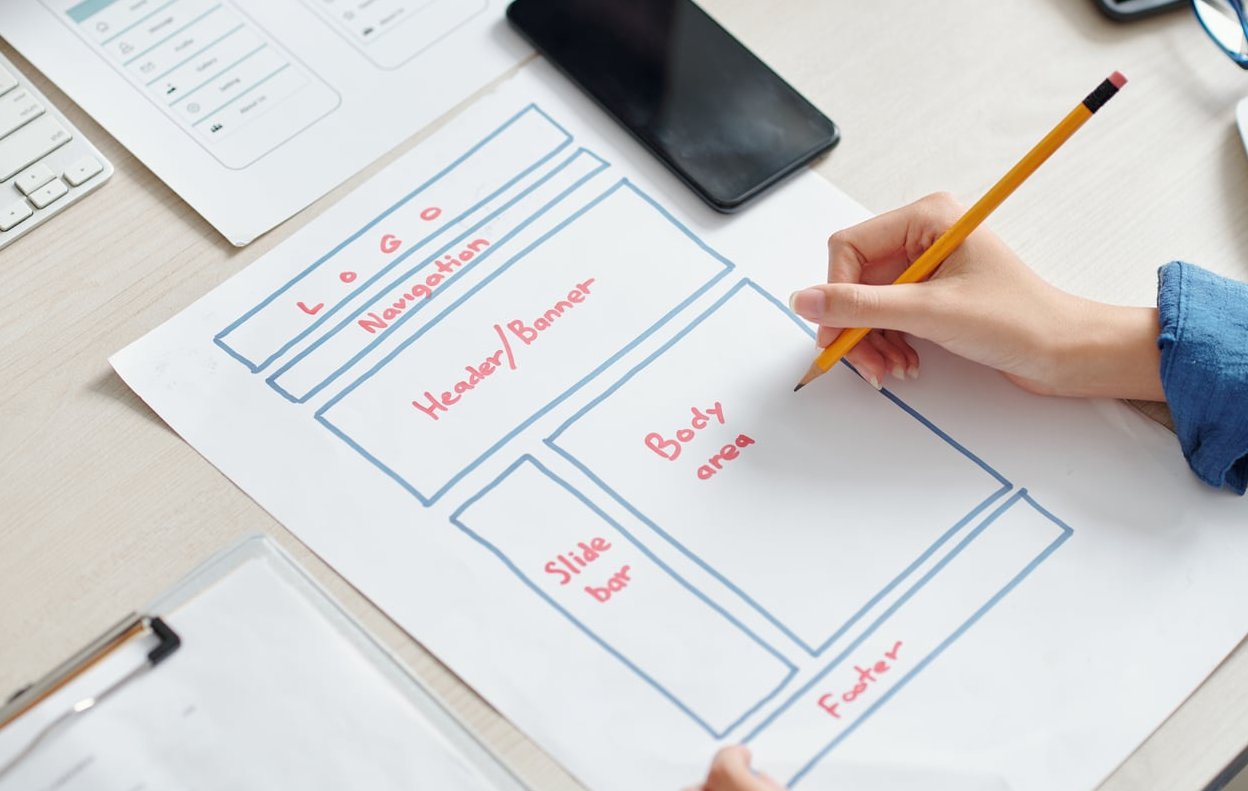
- Separate the legal bar. Place copyright, legal links, and credits in a thinner bar below the main footer area.
- Maintain breathing room. Add generous padding around groups. White space is your friend.
- Stay mobile first. On mobile, columns should stack vertically with collapsible sections when needed.
Common Website Footer Mistakes to Avoid
- Linking to dead social media accounts
- Using tiny text that’s impossible to read
- Forgetting to update the copyright year
- Hiding important legal pages
- Overloading with 50+ links (the dreaded “fat footer” gone wrong)
- Inconsistent design between footer and the rest of the site
- No clear contact information for local businesses
Quick Footer Audit Checklist
Before your next website launch or redesign, run through this list:
- Can a visitor find your phone or email in under 3 seconds?
- Are your legal pages linked and up to date?
- Does the footer look clean on mobile?
- Are your social icons linking to active accounts?
- Is there at least one clear call to action?
- Does the footer reinforce your brand identity?
FAQ: Website Footer Content
What should a website footer contain at minimum?
At the very least, a footer should include your business name, contact information, copyright notice, privacy policy, and links to your main pages. Everything beyond that depends on your business type and goals.
How long should a website footer be?
There’s no fixed size. A small portfolio site might have a slim 100 pixel footer, while an e-commerce site might use a fat footer of 400 to 600 pixels with multiple columns of helpful links. Function should dictate height, not aesthetics.
Is a website footer good for SEO?
Yes, when used thoughtfully. Footer links help search engines crawl your site and signal which pages are important. Avoid keyword stuffing or excessive linking, which can look spammy to Google.
Should the footer be the same on every page?
Generally yes, for consistency and crawlability. However, you can adjust certain elements on landing pages or checkout pages to reduce distractions when conversion is the priority.
How do I add footer content in HTML?
Use the semantic <footer> tag at the bottom of your page or layout template. Inside, organize content with <div> or <section> elements, and use lists for link groups. If you’re using WordPress, your theme likely has a footer widget area you can customize without touching code.
Final Thoughts
Your footer is not a leftover space, it’s the final handshake with every visitor. Strong website footer content answers questions, builds trust, supports SEO, and keeps people engaged when they would otherwise leave.
Need help designing a footer (and a website) that actually converts? Get in touch with the team at Zach’s Web Designs and we’ll build something your customers and Google will love.